Template market
The market is a shelf of ready-made documents you can take and edit. It is the fastest start when you have no file to import.
1 · Opening the market
Open it from the template section. The dialog has two panes: a searchable tree of collections and their documents on the left, and a preview on the right. The preview renders the actual document, not a thumbnail, so you can read it before deciding.
On a desktop the divider between the panes can be dragged. On a phone the panes take turns.
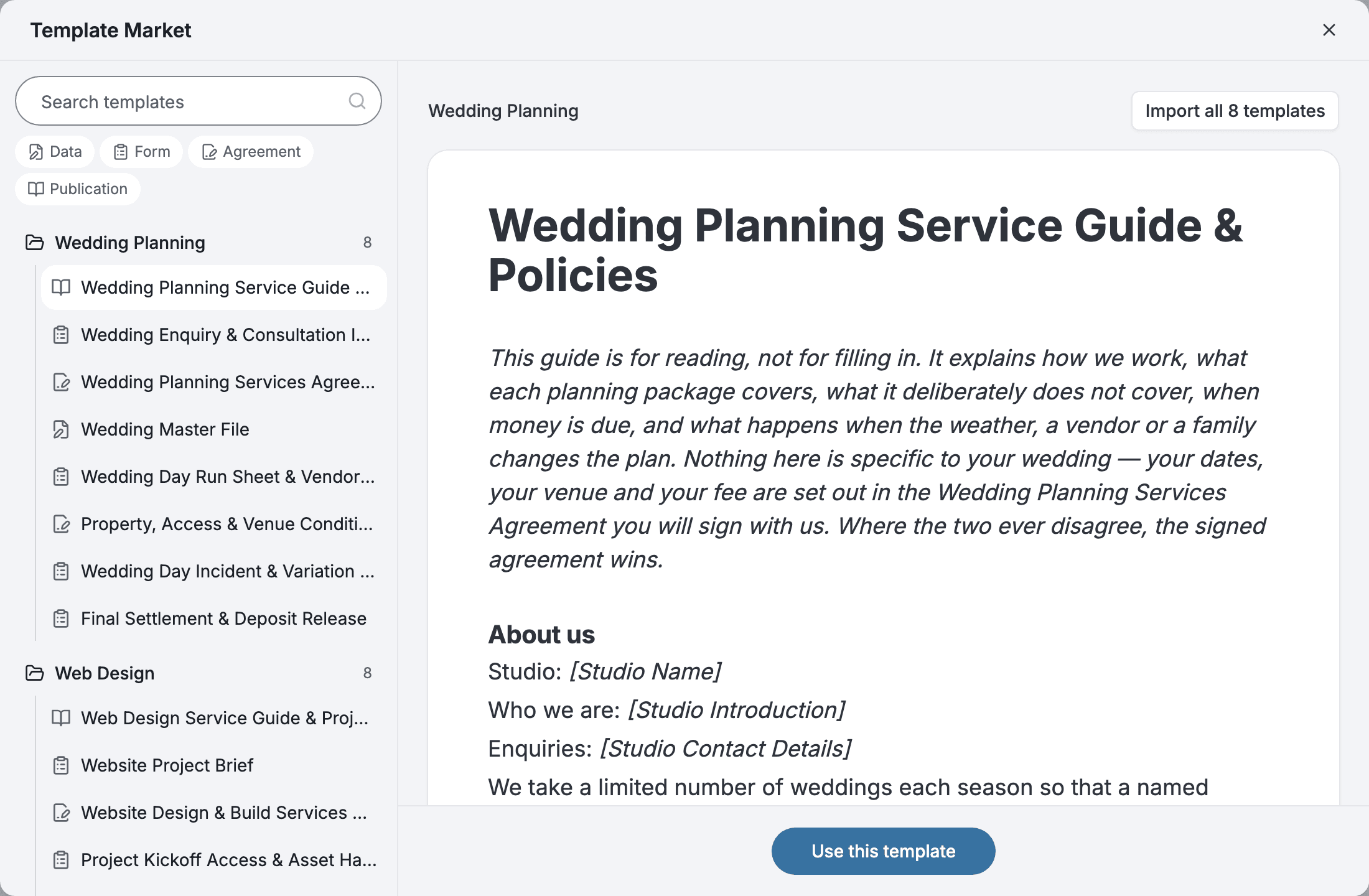
2 · Narrowing by kind
Above the list, filter by document kind: Data, Form, Agreement, Publication. The filter takes more than one at a time. Leave it untouched to see everything.
The filter resets each time you reopen the dialog.
3 · Taking a document
Take a single document, or a whole collection at once when its documents belong together — an intake form plus the agreement that follows it.
Either way you get your own copy. Edit the wording, add or remove fields, change its kind. Nothing links it back to the market, so a later change there never reaches your copy.
4 · Who lists the templates
Every collection in the market was listed by a Pocper team, and every listing shows who listed it. The templates Pocper's own team publishes are listings like any other. What you take is for use and editing within your own team, not for listing again.
You can list your own. Once at least one template in a folder is published, the team owner can list that folder from its menu, with a description and every language its templates are written in, so people browsing in any of those languages can find it. A public listing appears in the market for everyone. A link-only listing stays out of the market and is reached only through the import link you copy from the listing and hand out yourself.
You can also keep part of a template out of the market. In the editor, mark any block as hidden from the market preview, or hide everything from one block down. Visitors see the rest of the document in full and, where the hidden blocks were, a placeholder that says only how many are missing — “Shown after import — 18 blocks hidden” — never the content, with or without the import link. Hiding only changes what the preview shows; it does not lock the import. To require your access code, turn on “Require my access code to import” in the listing's settings — the templates then reach only the people you give the import link to, whether or not anything is hidden. If you sell the template elsewhere, add the purchase link to the listing: visitors without the link see a button to your page instead of an import button, and everyone else sees it next to the import button.
Importers receive the templates as they were published at the moment they import, including anything already filled in. To change what later importers get, re-publish the templates. Delisting removes the listing and stops its import link; your folder is untouched, and teams that already imported keep their copies.