The Best Client Document Collection Software for 2026, Compared
Chasing paperwork from clients over email leaks files, formats and deadlines: the wrong version lands in the wrong thread, and the due date arrives with a key document still missing. Purpose-built client document collection software fixes that, and three tools survived our fact-checking — FileInvite, for high-volume firms that want chasing to run on autopilot; Content Snare, the most affordable choice for solo operators and small teams; and SmartVault, for anyone whose first requirement is security and compliance. From here this guide maps the market into recognizable categories, sets the buying criteria you should judge any tool against, and routes you to a pick based on your firm size, budget and compliance needs.
Why email and shared folders break down for client document collection
If you collect documents from clients for a living, you already know the failure here is rarely dramatic — it is a slow leak. Email and a shared cloud folder feel free and familiar, which is exactly why most teams start there and stay far too long.
The endless email chase and the files that never arrive right
The pattern repeats with every engagement. You send a list of what you need; a client replies with two of the six items, one of them a phone photo instead of a PDF and another last year's version. You email back for the rest, the thread splits into three, and the files you did get are now spread between your inbox and a folder someone named after a nickname. A week later you still cannot say for sure what is outstanding, and the deadline is closer than the paperwork. Nobody chose to work this way; it is simply what email plus a shared folder quietly turns into once you are juggling more than a handful of clients.
Why sensitive client documents don't belong in an email thread
Then there is the part that should make you uneasy. What you are collecting is tax returns, IDs, bank statements and signed agreements — the exact material you would never want forwarded, screenshotted, or left sitting in an unattended inbox. Email was not built to hold data like that safely, and a shared Drive link that anyone can pass along is not much better. You cannot see who opened what, you cannot cleanly revoke access, and you have no record of the exchange if a client later disputes it. That combination — manual chasing, scattered files, and sensitive data in the wrong place — is the real argument for dedicated document collection software over a mailbox and a folder. The point is not that email cannot move a file; it is that it gives you no system around the file.
What to look for in client document collection software: the buying criteria
A tool earns its price by removing work you now do by hand, so fix your criteria before you sit through a single demo — otherwise every product looks impressive. Here is the shortlist that actually separates real client document collection software from a glorified upload form.
Automated reminders and follow-ups
Chasing should be the software's job, not yours. The baseline test is simple: can the tool send its own scheduled follow-ups so an outstanding request keeps nudging the client without you lifting a finger? As a concrete example, FileInvite says on its own site that you set a due date when you create a request and it then sends friendly email reminders to the client at intervals you define. That is the capability to look for — reminders on a schedule you set, not a to-do that pings you to send yet another email.
Reusable document request templates
If you request the same documents from every new client, you should build that checklist once. Good document request software lets you save a request as a template and reuse it, so onboarding your next client is as fast as onboarding your last. Content Snare, in its own documentation, describes exactly this: save your standard request as a template, then reuse it with each new client. Rebuilding the same list by hand every time is the quiet tax you are trying to stop paying.
Security and compliance (encryption, SOC 2, audit trail)
Because the files are sensitive, security is a buying criterion, not a bonus. Look for encryption in transit and at rest, an audit trail of who did what, and — the part you cannot fake — independent third-party certification rather than a vendor's own say-so. SmartVault states in its own documentation that it has passed independent third-party SOC 2 Type 2 audits conducted by a certified public accountant firm. A certification like that carries weight precisely because someone outside the company did the checking.
Client portal, branding and ease for non-technical clients
The person who has to use this most is your client, and they never chose the software. A clean client portal for document collection — branded, obvious, no account hoops — is what decides whether files actually arrive. Score every candidate on how little you would have to explain before a non-technical client succeeds on the first try.
Integrations with your accounting/CRM/cloud stack
Collected documents always have a next stop — your accounting tool, your CRM, your cloud storage. Check whether a candidate connects to the stack you already run, so files land where you work instead of in one more place you have to remember to check.
Pricing model
Finally, read how a tool charges — per user, per month, or a flat annual plan — because the model, not just the headline number, decides what it costs a team your size. Hold that thought; we put real figures against it in the comparison next.
The main types of client document collection tools (and which one is your lane)
Before comparing individual products, it helps to see that "client document collection software" is not one category but four, each shaped by a different buyer. Find your lane first; the right shortlist falls out of it.
Pure secure file-request tools
These do one job well: request files, chase them, and hand them back organized. They are fast to adopt because there is little to configure — you are not buying a whole workflow, just a better way to collect documents from clients. If your problem is simply "people are slow to send me things," this is your lane. Two of the three picks in this guide, FileInvite and Content Snare, live here.
Industry-specific client portals
Some tools are built around one profession's workflow — accounting and tax, or legal — so the portal, the document lists and the review steps assume how that field actually works. You trade breadth for fit: less useful outside the niche, very sharp inside it. Secure document collection software aimed at regulated, financial work tends to sit here; among our picks, SmartVault leans toward this secure, document-management end.
All-in-one practice-management suites
At the far end are full practice-management suites where document collection is one feature inside billing, scheduling and client records. If you want a single system to run the whole practice, a suite can make sense — just know you are adopting a platform, not a focused tool, and the collection piece may be shallower than a specialist's. We name no product in this bucket on purpose; treat it as a category to weigh, not a recommendation.
E-signature-first tools that also collect
Finally, plenty of teams already own an e-signature tool that can also request a file or two. It works for the occasional document, but collection is a bolt-on there, not the core — no real chasing, no reusable checklist. If most of your work is signatures with light file collection, it may be enough; if collection is the main event, it will feel thin.
The best client document collection software compared: FileInvite, Content Snare and SmartVault
Here are the three tools that made it through fact-checking, each scored against the criteria above rather than pitched at you. Skim the table first, then read the profile for whichever row matches your situation. Every figure and capability in the table is the vendor's own published description, and each cell links to the source it came from.
| Tool | Starting price | Standout capability | Best for |
|---|---|---|---|
| FileInvite | US$9,900/year (Standard) | Scheduled email reminders | High-volume, enterprise-grade chasing |
| Content Snare | US$35/month (Basic, billed annually) | Reusable request templates | Small teams on a budget |
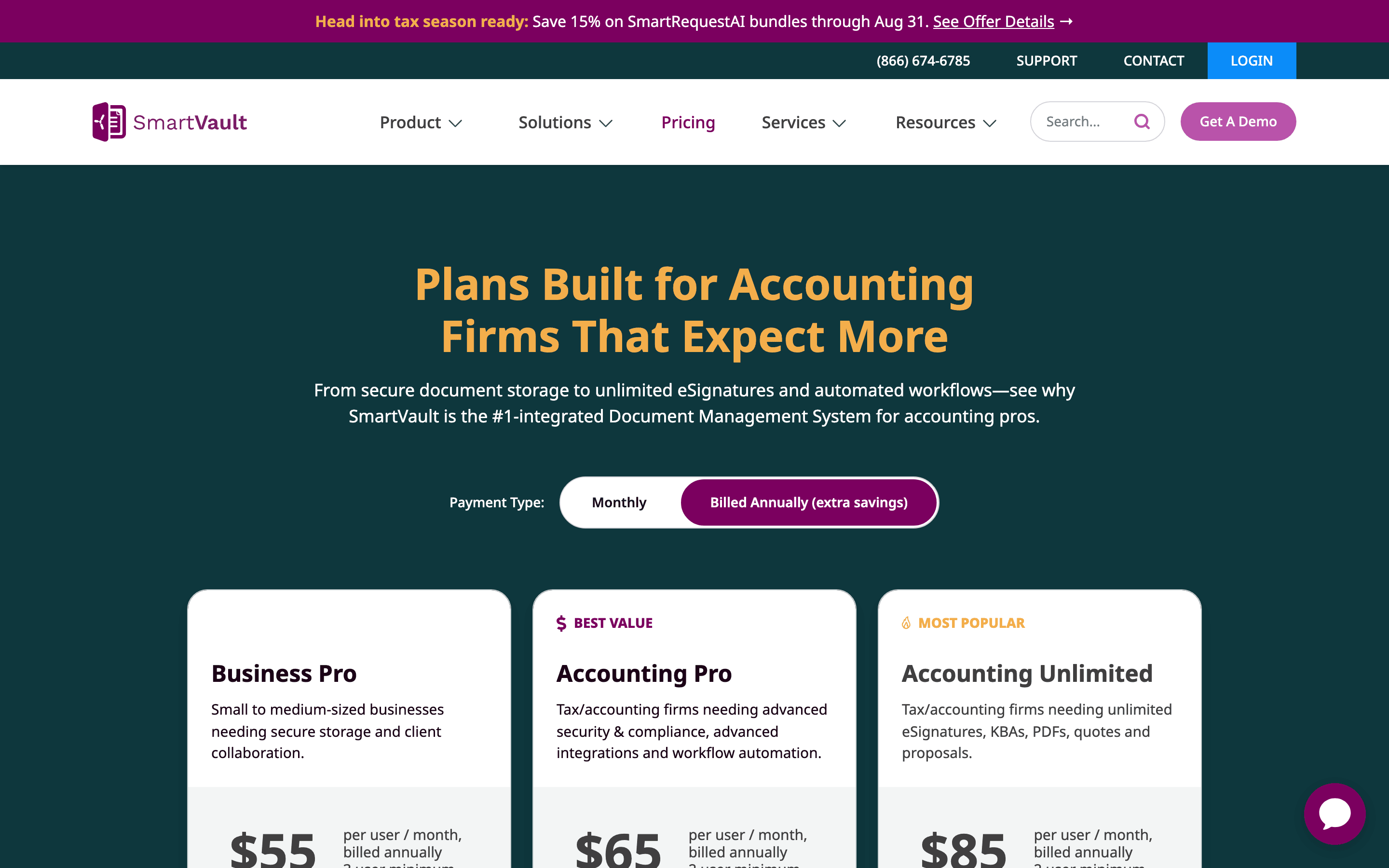
| SmartVault | US$55/user/month (Business Pro, billed annually) | Independently audited SOC 2 Type 2 | Security and compliance |
FileInvite — best for high-volume, enterprise-grade chasing
FileInvite is the heavyweight of the three, and it is unapologetic about it. Its scheduled reminders — the automated follow-ups from the criteria above, which FileInvite documents on its own site as due-date-triggered emails sent to the client at intervals you define — are built for volume, so the more requests you have in flight, the more that automation pays for itself. The trade-off is cost: FileInvite's own pricing page puts its entry Standard plan firmly at the enterprise end of the market, well above the other two in the table. That math works if you are a busy lender, a large practice, or an operations team drowning in requests; it does not if you are one person collecting a few files a month. Best for firms whose real bottleneck is chasing at scale, automatically.

Content Snare — most affordable, best for small teams
Content Snare is the value pick, and for most small teams it is the sensible default. Its reusable request templates — the exact capability from the criteria, which Content Snare describes in its own documentation as saving a request as a template and reusing it with each new client — let a small shop standardize onboarding without a setup project or a specialist. It is also the cheapest way in: Content Snare's own pricing starts its Basic plan at the lowest figure of the three shown above. For a solo bookkeeper, a boutique agency, or a two-partner practice that mainly needs to stop nagging clients, it lands on the sweet spot of affordable and focused, without paying for enterprise machinery you will never switch on. Best for small teams who want the essentials and a low bill.

SmartVault — best for security and compliance
SmartVault leads on trust, which is the entire reason to choose it. Where the other two treat security as one feature among many, SmartVault is organized around it: SmartVault states in its own documentation that it has passed independent third-party SOC 2 Type 2 audits carried out by a certified public accountant firm — the kind of outside verification a compliance officer will actually accept, not a vendor promising it is careful. That assurance sits at a mid-market price: SmartVault's own pricing page lists its Business Pro plan per user, billed annually with a small user minimum (again, in the table above). If your work is regulated or your clients expect a documented paper trail, that certification is the reason to choose it over something cheaper and lighter. Best for teams where an auditor, not just a deadline, is watching.
Which one should you choose? Pick by firm size, budget and compliance
The right pick is mostly a function of three things: how big your team is, what you can spend, and how strict your compliance bar is. Match yourself to one of these and you walk away with a primary choice and a backup.
Solo or a small team on a budget
If you are a solo operator or a small team watching costs, start with Content Snare. It gives you the reusable templates that fix the day-one pain without an enterprise invoice, and you can try before you buy: Content Snare's own pricing page says you can trial the product free for 14 days with no credit card. Spin up that trial, build one real document request, and send it to a live client — you will know inside a week whether it fits. Keep SmartVault in your back pocket if security later becomes the priority.
Strict compliance or security requirements
If an auditor or a regulator is in the picture, lead with SmartVault. Its independently audited security posture — established in the criteria and profile above — is what clears procurement and reassures clients handing over financial records. Pay the higher per-seat cost here on purpose: you are buying the certification, not just the storage. Keep Content Snare as a lighter fallback for your less sensitive work.
High volume or enterprise chasing
If your problem is scale — hundreds of requests, a whole team chasing — FileInvite is the fit, with its enterprise-level starting price as the honest trade-off. At that volume the automation earns its keep; below it, you are overpaying for horsepower you won't use. Whichever bucket you land in, the next move is the same: start a free trial or build your first document request today, and let the tool prove itself on one real client before you commit.
Making sure clients actually use it: keep uploads simple and self-organizing
A tool only pays off if your clients actually use it, and this is where good purchases quietly fail. The pattern is familiar: the non-technical client hits one confusing screen, gives up, emails you the file "to be safe," and within a month everyone is back in the inbox with documents scattered across threads again — exactly the mess from the start of this guide. Two principles decide whether the tool you chose gets used or becomes shelfware.
Keep client uploads friction-free
First, uploading has to be effortless on the client's side. If they need to create an account, read instructions, or hunt for the right button, some of them simply won't — and every client who falls back to email drags you back to the exact problem you were trying to escape. Judge the client experience by the slowest, least technical person you serve, not by how obvious it all looks to you.
Let the tool file documents for you
Second, submissions should organize themselves so you never re-sort files by hand. If a returned document lands in the right place automatically, the system stays tidy on its own; if it doesn't, you become the filing system, which is just the old chaos with extra steps. One lightweight option worth a look here is our own product, Pocper — full disclosure, we build it. It calls itself a client management workspace: clients attach PDFs, images and Office files up to 25 MB straight into their own folder, and every response lands in the right client's folder, with the folder even created automatically for a new client. It is one way to get both principles at once — not the only one; the principles matter more than any single tool.
FAQ
Is there a free client document collection tool, or at least a free trial?
Most purpose-built tools are paid, with the affordable end starting around US$35/month for Content Snare's Basic plan billed annually, according to Content Snare's own pricing page. There is no permanently free tier, but Content Snare does offer a 14-day free trial with no credit card, per the same page. So if budget is your constraint, start with a trial and build one real request rather than holding out for a forever-free plan.
How is dedicated document collection software different from just using email plus Dropbox or Google Drive?
Generic file-sharing like email plus Dropbox or Google Drive gives you no automated chasing, no reusable request checklist, no client-by-client organization and no audit trail — you still nag clients by hand and re-sort files yourself. Dedicated document collection software adds exactly those: it follows up on its own, reuses your request templates, files each client's uploads separately, and logs the exchange. The difference is not moving a file; it is having a system around the file.
What's the difference between document collection software and e-signature software?
E-signature software is built to get documents signed and treats file collection as a secondary add-on, while document collection software is built to request, chase and organize many types of files, with signing (if offered) as the secondary job. So if your main task is gathering lots of paperwork, a collection tool fits; if it is mostly getting a contract signed, a signature tool does. If you already own an e-signature-first tool, you will often find its file-request feature too thin once collection becomes the main event.
How fast can I send my first document request to a client?
With a template-driven tool you can send a branded request in minutes instead of drafting an email from scratch. Reusable request templates are what make that speed possible — Content Snare, for example, documents saving a request as a template and reusing it with each new client, so repeat sends are nearly instant. Expect the very first setup to take a little longer while you build that template; after that, each new client is a few clicks.
You now have the map, the criteria, and three fact-checked picks: Content Snare when budget leads, SmartVault when compliance does, and FileInvite when raw volume does. But if your real risk is that clients never actually upload, start there instead — spin up a single client management workspace, create your first client folder, and let each client drop their files straight in while every response files itself under the right client. You can set that up at https://pocper.com.
Sources
- Plans & Pricing for Document Collection Platform | FileInvite — FileInvite publishes its pricing; the lowest listed paid tier (Standard) starts from USD $9,900 per year. (vendor, 2026-08-15)
- Secure Document Collection Platform for Lenders | FileInvite — FileInvite automatically sends scheduled email reminders (its 'Smart Notifications' feature) to chase clients for outstanding documents. (vendor, 2026-08-15)
- Content Snare Pricing — Content Snare publishes its pricing; the lowest paid plan (Basic) is USD $35/month billed annually (USD $42/month billed monthly). (vendor, 2026-08-15)
- Document collection software - Collect files in 71% less time — Content Snare lets users save document requests as reusable templates and reuse them with each new client. (vendor, 2026-08-15)
- SmartVault Pricing - Secure Document Management Software — SmartVault publishes its pricing; the lowest paid plan (Business Pro) is USD $55 per user/month billed annually (3-user minimum). (vendor, 2026-08-15)
- System and Organization Controls (SOC) 2 Type 2 Compliance — SmartVault states it has passed independent third-party SOC 2 Type 2 audits. (vendor, 2026-08-15)
- Client management workspace & form builder | Pocper — Pocper describes itself on its site as a 'Client management workspace' that files each client's forms, notes and signed agreements under the client, synced in real time (its own term is 'client management workspace', not 'document workspace'). (vendor, 2026-08-15)